Monitoring DNS with Grafana
Date: 2026-02-08
Host: grafana
Component: Prometheus + Grafana + exporters
Scope: DNS monitoring
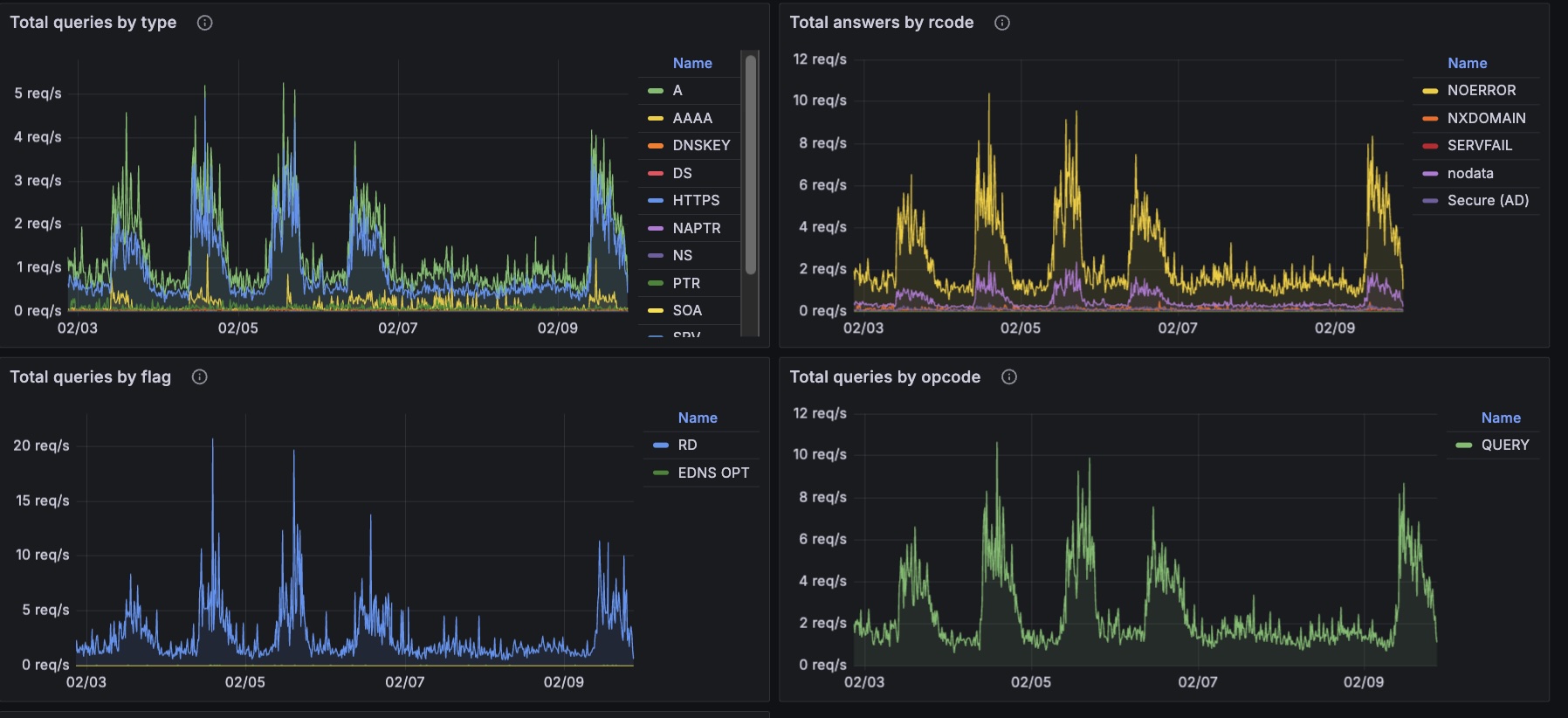
Monitoring DNS with Grafana
1️⃣ Inside the jail: install Grafana
pkg update
pkg install -y grafana

grafana: 12.3.0_3 [FreeBSD-ports]
This installs:
- grafana binary
- Config in /usr/local/etc/grafana/
- Service script: /usr/local/etc/rc.d/grafana

2️⃣ Enable Grafana service in the jail
sysrc grafana_enable=YES
Start it:
service grafana start
http://10.10.0.10:3000/login
4️⃣ Bind Grafana to the jail IP (recommended)
nano /usr/local/etc/grafana/grafana.ini
Set:
[server]

# The ip address to bind to, empty will bind to all interfaces
http_addr = 10.10.0.10

# The http port to use
http_port = 3000

# The public facing domain name used to access grafana from a browser
domain = grafana.cabroneria.com
Add procfs mount (optional, but prevents plugin pain)
Grafana core doesn’t require procfs, but some plugins / diagnostics / Go runtime expectations can be happier with it.
In your jail fstab (/usr/local/bastille/jails/grafana/fstab), add:
procfs /usr/local/bastille/jails/grafana/root/proc procfs rw 0 0
jail.conf
/usr/local/bastille/jails/grafana/jail.conf
5️⃣ Install prometheus
pkg install -y prometheus
sysrc prometheus_enable=YES
start it
service prometheus start
/usr/local/etc/prometheus.yml
global:
  scrape_interval: 15s
  evaluation_interval: 15s

scrape_configs:
  # Prometheus itself
  - job_name: "prometheus"
    static_configs:
      - targets: ["127.0.0.1:9090"]
        labels:
          role: "monitoring"
          node: "prometheus-jail"

  # The FreeBSD HOST running node_exporter
  - job_name: "host"
    static_configs:
      - targets: ["10.44.0.1:9100"]     # <-- host IP here
        labels:
          role: "host"
          node: "clemente"               # <-- host name label

  # All jails running node_exporter
  - job_name: "jails"
    static_configs:
      - targets:
          - "10.10.0.10:9100"           # grafana jail
          - "10.10.0.11:9100"           # prometheus jail (optional scrape)
          - "10.10.0.20:9100"           # skynet
          - "10.10.0.30:9100"           # webjail
          - "10.10.0.40:9100"           # cabroneria
          - "10.10.0.50:9100"           # xmcnetwork
          # - "10.10.0.20:9100"         # other jail
        labels:
          role: "jail"
Prometheus checks
✅ Quick health checks
fetch -qo- http://127.0.0.1:9090/-/healthy
fetch -qo- http://127.0.0.1:9090/-/ready
✅ See scrape targets in a text-ish way (JSON)
Prometheus exposes targets via the API:
fetch -qo- "http://127.0.0.1:9090/api/v1/targets?state=active" | head
If you want it pretty (optional):
pkg install -y jq
fetch -qo- "http://127.0.0.1:9090/api/v1/targets?state=active" | jq '.data.activeTargets[] | {job: .labels.job, instance: .labels.instance, health: .health, lastError: .lastError}'
1️⃣ Install exporters
On the HOST
pkg install -y node_exporter
sysrc node_exporter_enable=YES
service node_exporter start
Verify:
sockstat -4 -l | grep 9100
nobody node_expor 20341  3 tcp46 *:9100                *:*
In EACH JAIL (including grafana jail if self-monitoring)
bastille console grafana
pkg install -y node_exporter
sysrc node_exporter_enable=YES
service node_exporter start
sockstat -4 -l | grep 9100
1) Add Prometheus datasource in Grafana
Grafana UI Connections / Data sources / Add data source / Prometheus