MacOS

Removing a Dead iCloud Account on a Pre-T2 Mac

(Mac Pro 2013 / Non-Secure Enclave Macs)


⚠️ Scope

This guide applies only to pre-T2 Macs (e.g., Mac Pro Late 2013).

These machines:

  • Do NOT have a T2 chip
  • Do NOT enforce hardware Activation Lock
  • Store iCloud / Find My bindings in macOS user & system databases

This will remove the local iCloud association without deleting the Apple ID account itself.


🧠 Understanding the Architecture

On pre-T2 Macs:

  • iCloud login state is stored locally in user databases
  • Find My relies on account tokens
  • There is no firmware-level enforcement

Removing the local databases clears the association from macOS.

 …
Tahoe Time Machine Failure on Samsung T7

ISSUE

Every good storage failure starts innocently.

Plug in a brand-new Samsung T7.
Select it in Time Machine.
Click “Use Disk.”
Allow macOS to format the drive automatically.
Let the backup run. It may even complete once — maybe even a few more times.
Then it fails with a generic error:
“An error occurred while preparing the backup.”

Time Machine consistently failed during the “Preparing backup” phase on macOS 26.3 (Tahoe).

 …

Typing 𝘌𝘷𝘦𝘳𝘺𝘵𝘩𝘪𝘯𝘨 on macOS: a tiny Unicode italic script

Date: 2026-02-12
Host: macOS
Goal: Convert normal text into Unicode Mathematical Sans-Serif Italic (e.g. Everything𝘌𝘷𝘦𝘳𝘺𝘵𝘩𝘪𝘯𝘨)

This document shows how to create a small local script on macOS that converts normal text into Unicode Mathematical Sans‑Serif Italic. This is Unicode substitution (not font styling). It’s useful for headings or emphasis in posts and chats, but it’s not ideal for accessibility or searching.


What it looks like

Plain:

Everything looks cooler now

Converted:

 …

Reset Netgate / pfSense Admin Password from macOS (Serial Console Guide)

This walkthrough documents the cleanest recovery path for Netgate appliances running pfSense CE or pfSense Plus using a MacBook and the serial console this way we may avoid config loss, performing a factory reset, or a whipe/reinstall.

This is written as a practical runbook you can keep around for the next time someone locks themselves out.


What This Fixes (and What It Doesn’t)

This procedure:

  • Resets the admin webConfigurator password
  • Preserves your full pfSense configuration
  • Works even if the web UI is unreachable

This does not:

 …

Fixing a Broken Migration Assistant Clone on macOS Tahoe

Date: 2026-02-10
Host: new Mac (macOS Tahoe)
Context: Migration Assistant clone from older Mac failed

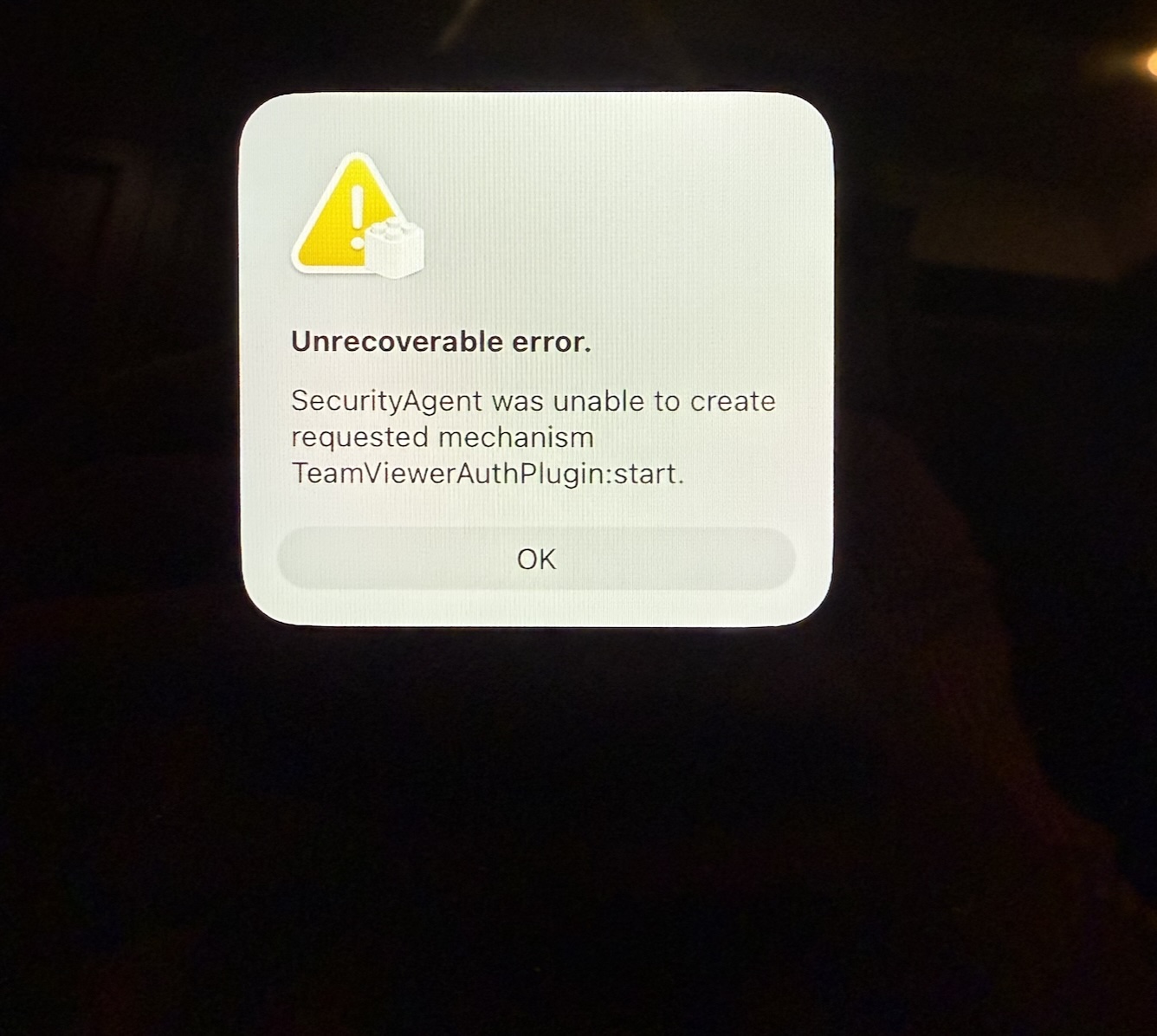
Unrecoverable error.

SecurityAgent was unable to create requested mechanism TeamViewerAuthPlugin:start.


Summary

First day using macOS Tahoe, immediately greeted with a broken Migration Assistant clone from an older Mac. The system failed to reach the login window due to a corrupted SecurityAgent authorization plugin left behind by TeamViewer. This caused login to fail and wedged Setup Assistant in a deadlock during post-migration initialization.


 …

Fixing doas: not installed setuid on macOS (MacPorts)

Date: 2026-02-08
Host: macOS (MacPorts prefix: /opt/local)
Component: doas (MacPorts)

My WireGuard client app failed to load profiles because the code path relies on doas for privilege escalation. This fix corrects the macOS (MacPorts) doas installation so the client can elevate properly.

doas: not installed setuid

…and exiting with status 1.


Root Cause

On macOS, MacPorts installs doas without the setuid bit by default.

Because doas is not setuid-root, it cannot elevate privileges. Any command relying on it will immediately fail, including:

 …

Fixing a grafana instance on macOS

Date: 2026-02-08
Host: server (macOS Monterey; Homebrew prefix: /usr/local)
Grafana install: Homebrew (/usr/local/opt/grafana)
Grafana data: /usr/local/var/lib/grafana

Grafana (Homebrew on macOS Monterey) & Password Reset + Boot-Time Startup (No GUI Login)


Summary (what was fixed)

  1. Admin login/password wouldn’t work even after “reset” attempts.
  2. Grafana would run manually, but would not reliably run as a user service via brew services and you needed it to start at boot without any desktop login.
  3. fixed both by:
  • Resetting the password against the actual Brew paths + DB that the running server uses.
  • Replacing the GUI-bound LaunchAgent approach with a system LaunchDaemon at /Library/LaunchDaemons/... that runs at boot as your user.

Caveats

“Password reset succeeded” was misleading because I was hitting the wrong DB

Grafana can be pointed at different data directories. In this setup, the running Brew Grafana server uses:

 …